
Making Pando AI-Ready
usana health sciences
I’ve been exploring how Pando can evolve alongside AI—from creating designs through natural language to validating work against the design system’s standards. The goal is to understand how AI can become another useful tool in the design process without losing the human thinking behind the experience.
I’ve been leading the exploration of how Pando can work with AI, researching the tools, testing different approaches, and working with our development team to connect AI directly to the design system.
The work has involved experimenting with Claude Design, Claude Code, Figma, and Figma MCP while continually testing the results against the actual Pando UI Kit.
AI is quickly becoming part of how digital products are designed, built, and maintained. Rather than treating it as something separate from our design process, I wanted to understand how Pando could evolve alongside it.
The goal was to start bringing Pando into that conversation and see what it would take to make the system understandable and usable by AI tools.
I don't see AI as a replacement for the designer or as something that should take over the experience. I see it as another tool—one that can help us work faster, explore ideas, and solve problems we couldn't approach as easily before.
But like any tool, you have to understand how it works before you can use it effectively.
For me, that meant learning how AI interprets information, where it makes assumptions, how to give it the right context, and where human judgment still needs to be part of the process.
The goal isn't to let AI dictate the experience. The goal is to use AI to help us create better experiences for real people.
Before AI can use a design system, it needs to understand what the system actually is.
Pando isn't simply a collection of colors, components, and Figma files. It contains relationships between components, patterns, behaviors, standards, guidelines, and design decisions.
That raised a bigger question:
Could we teach AI to understand Pando well enough to actually work with it?
That became the foundation for the experiments that followed.
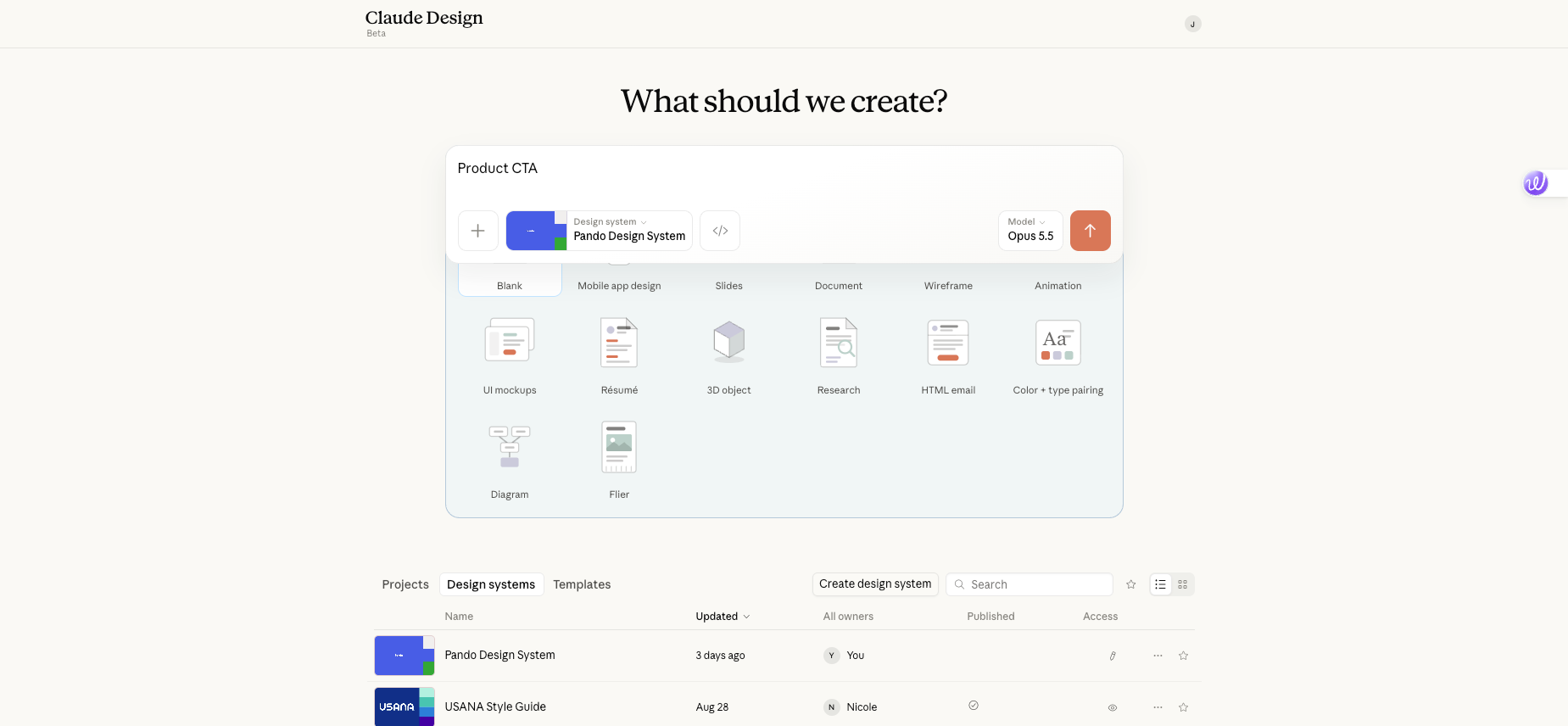
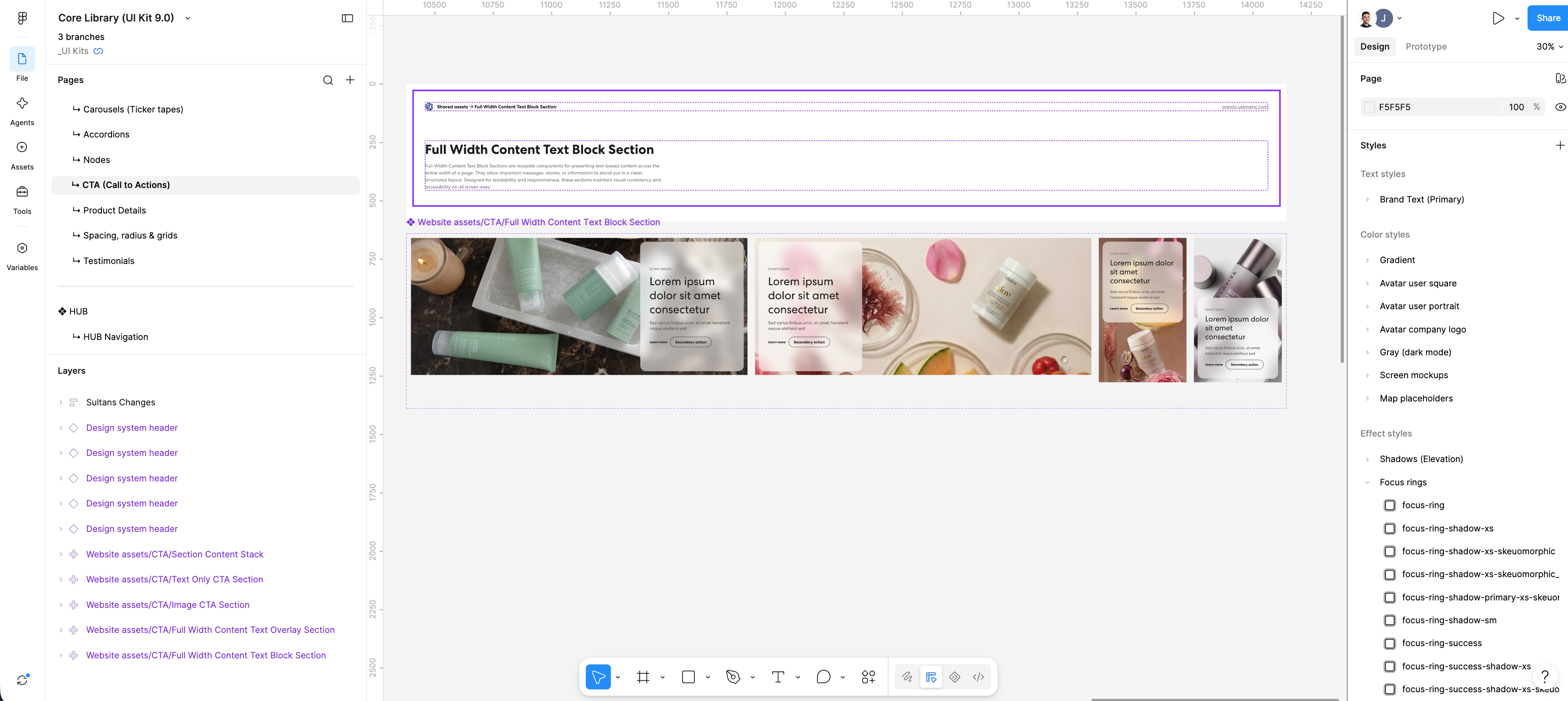
I started by taking the Pando Figma file and bringing it into Claude Design.
The first attempt didn't work the way I expected. There were a lot of changes and assumptions being made as the AI tried to fill in gaps it didn't understand.
Instead of stopping there, I started researching how Figma, AI, and Claude Design worked together. I experimented with different ways of structuring my commands and communicating with Claude so it could better understand what I was asking it to do.
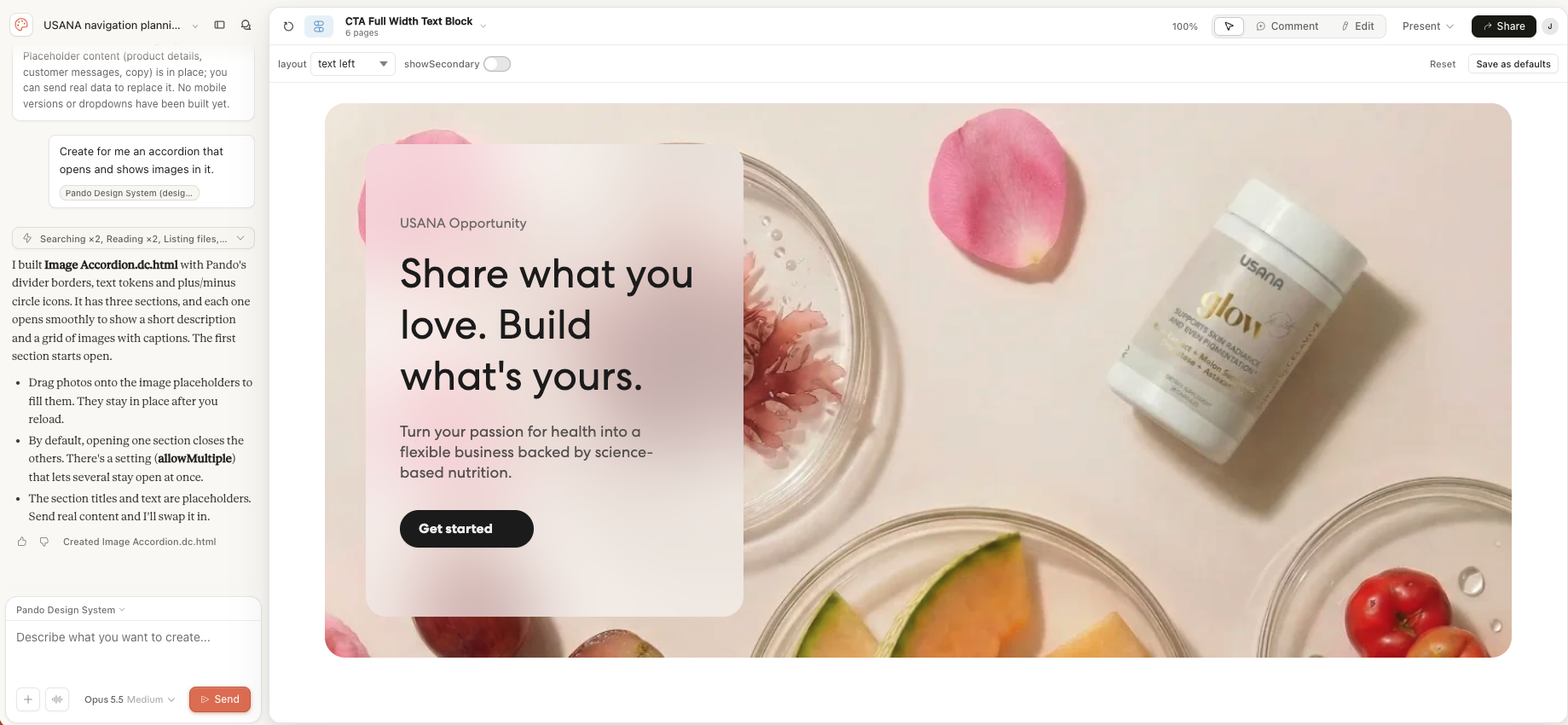
After several misfires, I was able to get it to a point where it could begin producing designs that followed Pando much more closely.
Once Claude Design began understanding the system, I started testing it with actual design commands.
For example, I could tell it:“Add a navigation.”
Claude Design was then able to create the navigation along with the appropriate animation and interaction.
The goal wasn't simply to have AI reference the design system. I wanted to see whether someone could interact with Pando through natural language and have the system produce the right design and behavior.
The second part of the project took us in a different direction.
Working with our development team, I’ve been helping build an agent in Claude Code that can work directly with the Pando Figma file.
We originally created a collection of .md files to give the agent the context and rules it needed.
As we learned more, the development team found a better approach: connecting the agent directly to the Figma file through Figma MCP.
That changed things quite a bit. Instead of giving AI a static set of information, it can now work directly with the source of truth.
The current workflow
Pando → AI → Designer Testing → Feedback → Pando → AI
We’re currently testing the agent against Pando components and any new work being created by the designers and developers.
The agent can review new components and designs and check whether they’re following Pando’s standards and established direction.
This gives us another way to use AI within the design system.
Instead of relying on manual review alone, the agent can help identify where new work may not align with Pando and give the designers and developers another way to check their work.
The biggest thing I’ve learned so far is that making a design system AI-ready is more than just uploading a Figma file.
AI will make assumptions when something isn’t clear. It needs to understand the rules, relationships, and how everything fits together.
A good design system needs to make sense to the people using it, but now it also needs to make sense to the AI tools we’re using to design and build.
And the more I learn about AI, the better I understand where it can help and where the designer still needs to make the call.
Pando
The biggest thing I’ve learned so far is that making a design system AI-ready is more than just uploading a Figma file.
AI will make assumptions when something isn’t clear. It needs to understand the rules, relationships, and how everything fits together.
A good design system needs to make sense to the people using it, but now it also needs to make sense to the AI tools we’re using to design and build.
And the more I learn about AI, the better I understand where it can help and where the designer still needs to make the call.
We’re continuing to test the Claude Code agent against Pando and see how much of the system it can understand and validate.
I’m also testing Claude Design with the Pando UI Kit as it evolves and learning where Pando needs to be clearer for AI to use it.
The goal isn’t just to make Pando work with AI. I want to see what happens when both people and AI can work with the same design system.
I’m still learning, so I wouldn’t present this as a finished product.
What I have right now is a working project exploring how AI can interact with Pando in two ways: creating with the system and validating against it.
More importantly, working through this has changed how I think about Pando itself. It’s not just a collection of components and guidelines anymore. I’m starting to see Pando as something AI can both understand, use, and help us and me evolve.